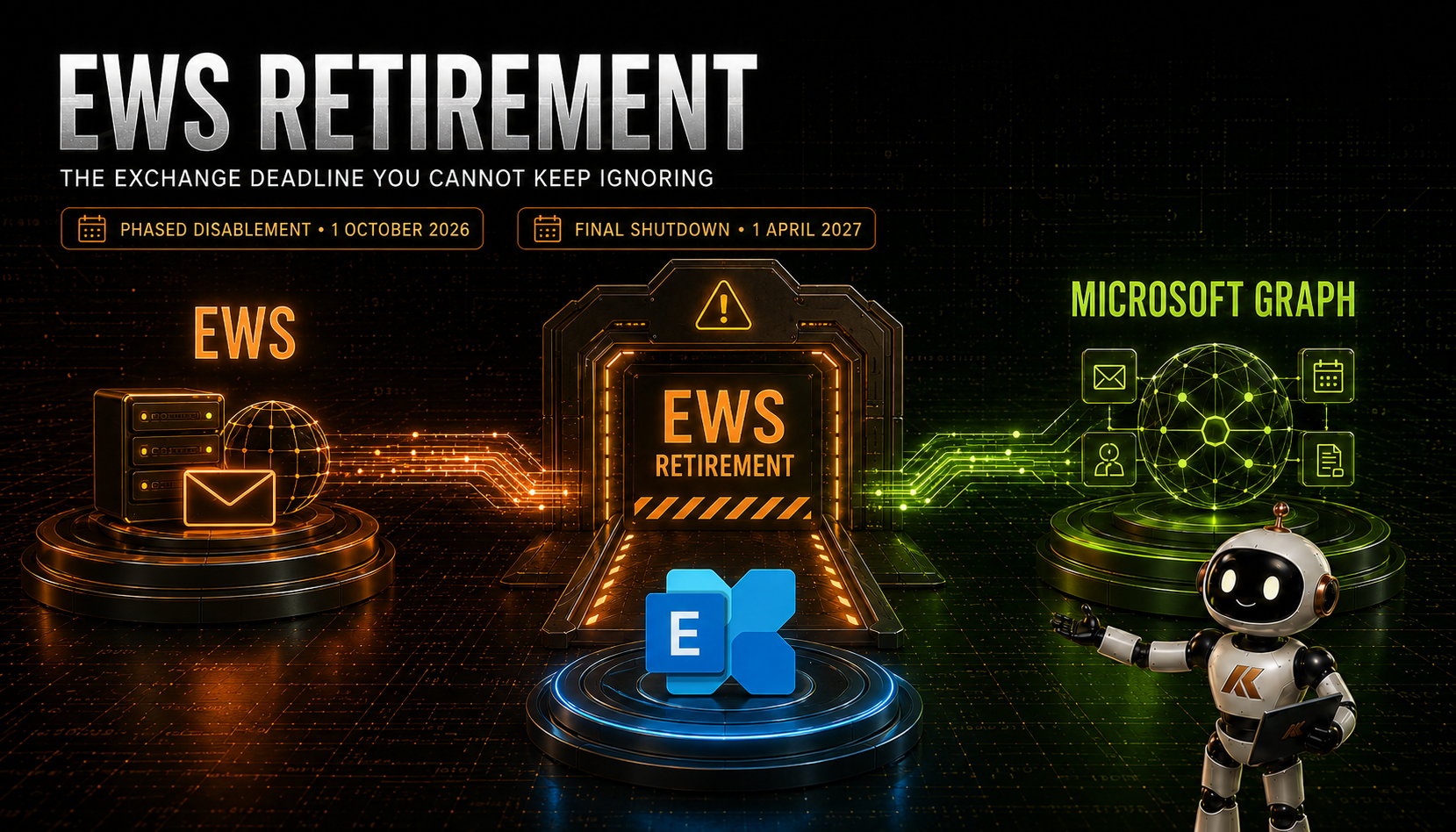
EWS Retirement: The Exchange Deadline You Cannot Keep Ignoring
If you work with Exchange, you will have seen this coming—unless you have been hiding under a rock for the last year in a state of denial.
Exchange Web Services is approaching the end of its life in Exchange Online. The first important date, 1 October 2026, is now only weeks away. And although 1 April 2027 might still sound comfortably distant, anyone who has delivered an Exchange migration knows exactly how quickly seven months disappears once application owners, suppliers, testing windows and change freezes become involved.
So, the question is no longer whether EWS is going away.
Have you started transitioning from EWS yet?
This is not just a developer story about replacing a SOAP API with Microsoft Graph. EWS is woven through application integrations, calendar coexistence, Exchange hybrid and some Microsoft and third-party products. The retirement therefore needs to be treated as an Exchange service transition, with discovery, ownership, remediation and validation—not as a single switch that the messaging team can change at the last minute.
Important note: I have not yet validated these changes end to end in my own lab. This article is based on Microsoft’s published documentation and announcements available on 31 August 2026. Microsoft is still updating guidance and closing some Graph parity gaps, so validate the current documentation, your Message Center notices and the behaviour in your own tenant before making production changes.
What is actually retiring?
Microsoft is retiring EWS in Exchange Online. The announcement is not a blanket removal of the EWS virtual directory or API from every on-premises Exchange Server deployment.
That distinction matters, but it should not create false comfort. Even when an EWS call originates from an on-premises Exchange server, application or coexistence configuration, it is affected if the destination is Exchange Online. Hybrid organisations must therefore consider both the Exchange Online shutdown and the newer authentication and API model for Exchange Server-to-Exchange Online coexistence.
Microsoft stopped adding new functionality to EWS in 2018 and formally announced the Exchange Online retirement date in 2023. Microsoft now says the process will happen in two stages:
- From 1 October 2026, Microsoft will begin phased disablement of EWS across Exchange Online tenants.
- On 1 April 2027, EWS in Exchange Online reaches final shutdown. Microsoft says there will be no exceptions or further extensions after that date.
The October date is not necessarily the day every tenant and every EWS integration fails simultaneously. It is the point at which Microsoft begins changing the default tenant state as part of its phased rollout. That makes it a dangerous date to interpret as the start of the migration project. By October, discovery and remediation should already be well under way.
Microsoft’s current timeline and scope are documented in Exchange Online EWS, Your Time is Almost Up and the Exchange Online EWS deprecation guidance.
October is a controlled runway—not a reprieve
Microsoft has introduced two organisation-level controls to help tenants manage the final transition:
EWSEnabledEWSAllowedAppIDs
If EWSEnabled remains unset, Microsoft plans to change it to False during the phased rollout beginning in October. If an organisation still needs selected EWS applications during the transition, Microsoft’s published approach is to set EWSEnabled explicitly to True and use EWSAllowedAppIDs to permit only the required application IDs.
That is useful because it allows an organisation to reduce its EWS exposure and stop unknown or unapproved applications while a small number of known dependencies are remediated. It is also a good way to turn a vague retirement programme into an explicit exception list with named owners.
But it is vital to understand what it is not.
EWSEnabled=True does not preserve EWS beyond 1 April 2027. An allow list is not a migration. It is a time-limited continuity and containment mechanism. If an application is still on the list in March 2027 and has no tested replacement, the organisation still has a problem.
There are also similarly named older EWS application-access settings based on user-agent strings. Do not assume those are equivalent to EWSAllowedAppIDs, which is the new application-ID control for this retirement process. Microsoft explains the intended configuration and testing model in Introducing EWSAllowedAppIDs.
Start with evidence: find every EWS dependency
The first job is not to deploy Graph permissions. It is to establish who and what is still calling EWS.
Microsoft now exposes an EWS usage report in the Microsoft 365 admin centre under Reports > Usage > Exchange > EWS usage. It shows the application ID, EWS SOAP action, call volume and last activity date. The report can be filtered over 7, 30 or 90 days.
There are two important cautions. The data is aggregated weekly and Microsoft says it can take up to ten days to appear. A quiet report today therefore does not prove that EWS is unused, and a 90-day view might still miss a rarely executed annual, quarterly or exception-based process.
Use the report as the beginning of the investigation, then correlate it with:
- Enterprise applications and app registrations in Microsoft Entra ID.
- Service-principal sign-in logs and application owners.
- Existing EWS allow or block configuration.
- Integration catalogues, service accounts and automation repositories.
- Backup, archive, migration, compliance, CRM, room-booking, voicemail and line-of-business products.
- Scripts that use the EWS Managed API or call EWS directly.
- Exchange hybrid and cross-tenant sharing configuration.
- Supplier roadmaps and supported product versions.
For every application ID, identify an accountable owner, supplier, business process, mailbox scope, authentication model and replacement plan. “We think that belongs to the old archive platform” is not an acceptable answer when the shutdown begins.
The official EWS usage report documentation describes the data and its reporting delay. Microsoft also provides an EWS Analyzer and remediation guidance for deeper investigation.
Workstream 1: applications, scripts and vendor products
For a custom application, the strategic destination is normally Microsoft Graph. However, this is not simply a matter of replacing an EWS endpoint URL.
EWS and Graph use different API models, payloads, permissions, throttling behaviour and authentication patterns. The team needs to identify each SOAP operation being used, map it to Graph, redesign areas without direct parity, and retest both functional and non-functional behaviour.
Microsoft maintains an EWS-to-Microsoft Graph API mapping and a broader migration overview for EWS applications. These should be the starting point, not an assumption that every EWS feature has a drop-in Graph equivalent.
Microsoft’s current deprecation guidance still lists parity work or limitations around areas such as mailbox and public-folder import/export, in-place archives, recurring-event deltas, user configuration and some administration APIs. Some replacement APIs are in preview, and Microsoft says creating a calendar event without inviting attendees will not be supported through Graph. That may not affect most integrations, but it can be decisive for the ones that depend on those operations.
For third-party products, ask the supplier direct questions:
- Does the currently deployed version use EWS against Exchange Online?
- Which application ID appears in the tenant’s usage report?
- Is there a Graph-based release, and is it generally available or still in preview?
- Does the Graph version provide full functional parity for the features we use?
- What new Entra permissions and consent are required?
- Is an in-place upgrade supported, or is data/configuration migration required?
- What happens if we restrict the application to specific mailboxes?
- What is the supplier’s tested position for 1 October 2026 and 1 April 2027?
A vendor statement that “modern authentication is supported” is no longer sufficient. EWS itself can use OAuth. The retirement removes the protocol, not merely Basic authentication. You need confirmation that the product has moved away from EWS.
When moving application-only access to Graph, use the opportunity to review least privilege. Tenant-wide mail permissions should not be copied across without challenge. Microsoft recommends Exchange Online Role Based Access Control for Applications for new mailbox scoping rather than designing new deployments around the older Application Access Policy model.
Workstream 2: Exchange Online cross-tenant sharing
This is one of the easiest EWS dependencies to miss because nobody thinks of a user checking another organisation’s Free/Busy information as an “EWS application”.
Exchange Online-to-Exchange Online sharing configured with legacy Organization Relationships, Availability Address Spaces and Sharing Policies uses EWS. Microsoft is moving cloud-to-cloud Free/Busy, MailTips and calendar sharing to the Microsoft 365 Cross-Tenant Access Policy model.
Microsoft expects the new capability to be available worldwide by 15 September 2026, shortly before phased EWS disablement begins. That leaves a narrow window, particularly because this is not a one-tenant change. Bidirectional sharing requires complementary inbound configuration in both tenants, using tenant identities rather than relying primarily on SMTP domains.
This matters for:
- Mergers and acquisitions with prolonged coexistence.
- Tenant-to-tenant migration programmes.
- Parent, subsidiary and divested-company relationships.
- Long-standing partner calendar-sharing arrangements.
- Any organisation using scoped Free/Busy or detailed calendar sharing across Microsoft 365 tenants.
Inventory the current objects with Get-OrganizationRelationship, Get-AvailabilityAddressSpace and Get-SharingPolicy. Map every partner domain to the correct Entra tenant ID and a named technical contact. Build the replacement policies at both ends, test every required sharing level and only then remove the legacy configuration.
Microsoft notes that existing legacy settings take precedence, so testing may require temporarily disabling the old configuration to prove that traffic is using the new path. That needs coordination, a test plan and an agreed rollback—not an improvised change during a migration weekend.
The full procedure is in Microsoft’s cross-tenant sharing migration guide, supported by the Exchange Team’s announcement and rollout explanation.
Workstream 3: Exchange hybrid—and where Exchange Server SE fits
This is where two related changes are often blended together.
The retirement concerns EWS in Exchange Online. Separately, Microsoft permanently blocked Exchange hybrid EWS access through the old shared first-party service principal on 31 October 2025. Organisations requiring rich hybrid coexistence—Free/Busy, MailTips and profile-photo sharing—must use a dedicated Exchange hybrid application in Entra ID and a supported Exchange build.
The dedicated application was initially configured with EWS application permission. Microsoft has since added a Microsoft Graph workflow for most rich-coexistence scenarios, but that capability requires Exchange Server Subscription Edition RTM with the May 2026 Hotfix Update or later. Microsoft lists the minimum Graph-capable SE build as 15.2.2562.41.
This is the key nuance:
- You do not upgrade to Exchange Server SE simply because the on-premises EWS endpoint is being globally removed—it is not.
- You do need to be on a supported Exchange Server lifecycle regardless.
- If you run hybrid rich coexistence and want to transition those Exchange Server-to-Exchange Online calls from EWS to Graph, Microsoft’s currently documented path is Exchange Server SE plus the May 2026 HU or later, a dedicated hybrid app and the required Graph configuration.
- Exchange 2016 CU23 and Exchange 2019 CU14/CU15 with the April 2025 HU can use the dedicated hybrid app, but Microsoft lists those builds as supporting the EWS workflow only, not the Graph workflow. They are therefore not a durable answer to the April 2027 Exchange Online EWS shutdown—and Exchange 2016/2019 are already outside their long-term supported future.
For organisations still running Exchange 2016 or 2019 in hybrid, this is another reason not to treat the SE transition as a licensing checkbox. The server version, hotfix level, dedicated app and selected API workflow all matter.
Graph does not yet cover every rich-coexistence function. Microsoft currently documents Graph support for Free/Busy and profile pictures, with only the Automatic Replies portion of MailTips supported. Some scenarios, including access to a cloud archive from an on-premises primary mailbox, still require EWS permission. Do not remove full_access_as_app from the dedicated hybrid application until you have proved that none of your required features still needs it.
Also note what this change does not affect. Microsoft says onboarding and offboarding mailbox moves are not affected by the dedicated-app change. If every mailbox is already in Exchange Online and the remaining on-premises server is used only for recipient management or SMTP relay, the dedicated hybrid application is not required unless rich-coexistence features are still used.
Microsoft’s authoritative implementation guide is Deploy a dedicated Exchange hybrid app. The Exchange Team also explains the SE Graph transition in Update Your Exchange SE Hybrid On-premises Rich Coexistence to Graph.
There is one further edge case worth watching: Free/Busy from an on-premises Exchange organisation to a different Exchange Online organisation, outside its own hybrid tenant. Microsoft is still gathering customer scenarios for the post-EWS design, which is a clear signal not to assume that every complex topology already has a finished replacement. See Microsoft’s request for feedback on cross-organisation on-premises Free/Busy.
Workstream 4: Microsoft clients and services
Do not limit discovery to applications registered by your own developers. Microsoft widened the retirement scope after the Midnight Blizzard incident and says it is removing EWS dependencies from its own products, including Outlook, Office, Teams and Dynamics 365.
In most supported Microsoft client scenarios, the product team should deliver the replacement. Your responsibility is still to identify outdated client versions, unsupported operating systems and configurations that cannot consume that change. “It is a Microsoft application” does not guarantee that an old release on an old device will silently transition.
This is particularly important where a product’s Graph support depends on a newer client or operating-system version. Include endpoint and application owners in the programme, verify supplier-specific support statements, and test the actual versions in use—not just the latest release notes.
A practical transition plan
With October approaching, I would divide the work into five tracks.
1. Discover
- Export the 90-day EWS usage report and repeat it regularly.
- Account for its weekly aggregation and reporting delay.
- Inventory cross-tenant sharing, hybrid configuration, application registrations, scripts and vendor products.
- Search for infrequent business processes that will not appear in a short reporting window.
2. Classify
Place every dependency into one of four categories:
- Already migrated away from EWS and ready for validation.
- A supported Graph replacement exists and migration is planned.
- A replacement exists but has functional, licensing or platform prerequisites.
- No confirmed replacement or Graph parity gap remains.
Assign an owner and target date to every item. An application ID without an owner is a delivery risk.
3. Contain
For dependencies that genuinely need more time, evaluate EWSEnabled=True with a deliberately narrow EWSAllowedAppIDs list. Test it before October and document why every permitted application remains present.
Treat the allow list as an exception register. Review it frequently and remove applications as they migrate. Do not add a broad collection of IDs simply to make an outage disappear.
4. Migrate and test
- Validate Graph behaviour, permission scope, throttling and error handling for applications.
- Test Free/Busy, MailTips and each calendar-sharing level in both directions across tenants.
- For hybrid, verify the Exchange SE build, dedicated application, certificate health, Graph permissions and required feature coverage.
- Test using representative users, shared mailboxes, delegates, archives and service accounts.
- Capture a functional baseline before changing the API path.
5. Prove readiness
The objective is not “the project says complete”. The objective is that no unexplained EWS traffic remains—or that every remaining call is an approved, temporary exception with a tested plan before April.
Monitor the EWS usage report, Entra service-principal sign-ins, application telemetry and user-facing coexistence tests after each change. Repeat the checks after a full business cycle and keep watching through the Microsoft rollout.
What I would tell Exchange customers now
The 1 October date is fast approaching. Do not wait to see whether your tenant is disabled in the first wave. By then, you should know which applications use EWS, which cross-tenant relationships need replacing and whether your hybrid estate can use the Graph workflow.
If you need EWSEnabled=True and EWSAllowedAppIDs, use them to buy controlled migration time—not to postpone the decision. The date that really matters is 1 April 2027, because the temporary runway ends there.
And if you are still on Exchange 2016 or 2019, do not confuse “the dedicated hybrid app currently works through EWS” with a long-term architecture. For Graph-based rich hybrid coexistence, Microsoft’s documented destination is Exchange Server SE with the May 2026 HU or later.
EWS has served Exchange well for nearly two decades, which is exactly why its retirement reaches further than many organisations initially expect. The technical migration may be an API rewrite, a product upgrade, a new cross-tenant policy or an Exchange SE hybrid change. The delivery challenge is discovering which of those applies before users discover it for you.
So I will ask again:
Have you started transitioning from EWS yet?
If you have already tested any of these paths—particularly the new cross-tenant sharing model or Exchange SE hybrid calls through Graph—I would be interested to hear what you found. And if you are working through your own EWS discovery or transition and need assistance, feel free to reach out.
Microsoft references
- Exchange Online EWS, Your Time is Almost Up
- Deprecation of Exchange Web Services in Exchange Online
- Introducing EWSAllowedAppIDs: Preparing for the Final Phase of EWS Retirement
- Exchange Web Services usage report
- EWS-to-Microsoft Graph API mappings
- Migrate EWS applications to Microsoft Graph
- Migrate to Microsoft 365 Cross-Tenant Access Policy
- Cross-tenant Free/Busy, MailTips and Calendar Sharing announcement
- Deploy a dedicated Exchange hybrid app
- Update Exchange SE Hybrid Rich Coexistence to Graph
Comments
No comments yet — be the first to leave one below.